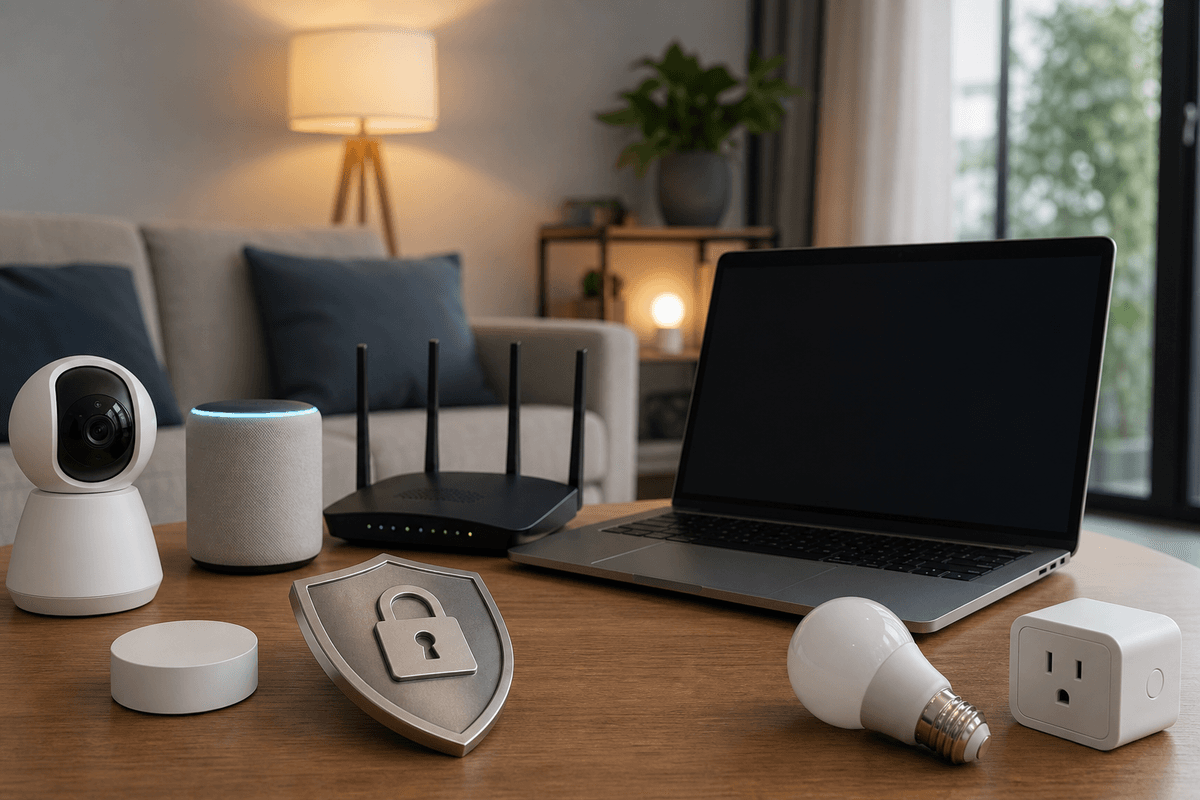
How to secure smart home devices comes down to three things: isolate them from your primary network, replace every factory-set password, and keep firmware current, since default credentials and unpatched firmware are the two weaknesses attackers exploit most often. The average home network now connects more devices than most small offices did a decade ago. Thermostats, security cameras, video doorbells, smart speakers, and Wi-Fi-enabled appliances all share a connection with the laptop you use for banking.
The Cybersecurity and Infrastructure Security Agency (CISA), the federal agency responsible for protecting critical infrastructure and issuing cybersecurity guidance, and the Federal Trade Commission (FTC) both identify default credentials, unpatched firmware, and weak network segmentation as the primary risks facing home networks. Most Internet of Things (IoT) devices, physical objects embedded with sensors and network connectivity, ship with factory-set credentials that manufacturers provide for quick setup and that most owners never change. According to Kaspersky's IoT threat report, connected devices worldwide faced more than 1.5 billion attacks in the first half of 2023 alone.
The consequences go beyond a slow network. A compromised security camera gives an attacker direct visibility inside your home, and a breached smart lock can grant physical access. Vulnerable routers and cameras are also routinely recruited into botnets, networks of hijacked devices an attacker controls remotely, the way Mirai and its successors have used compromised IoT devices to launch large-scale attacks that burn someone else's bandwidth and IP address.
Quick Answer
Securing smart home devices means isolating them on a separate network or VLAN, replacing every factory-set username and password, turning on automatic firmware updates, and enabling multi-factor authentication on every connected cloud account. CISA identifies default credentials and unpatched firmware as among the most actively exploited weaknesses in connected devices. Start with network segmentation since it limits the damage from any single compromised device, then work through credentials, updates, and ongoing monitoring.
Key Takeaway
Network segmentation, isolating IoT devices from the computers and phones that handle sensitive data, is the single highest-impact defense in this guide. Change every factory-set password before a device connects to your network, since automated tools can compromise default credentials within seconds. Enable multi-factor authentication with an authenticator app, not SMS, on every smart home cloud account. Keep firmware on automatic updates and replace any router or device past its manufacturer's security-update end-of-life. Review connected devices weekly with a tool like Fing and investigate anything you don't recognize.
Smart Home Security By The Numbers
Virtually every smart home device ships with a factory-set username and password, often something like admin/admin, admin/password, or a string derived from the serial number printed on the label. Manufacturers set these for fast installation, and most people never change them.
Credential-scanning tools can test thousands of IoT devices per minute using published lists of default passwords. If a smart camera or network-attached storage (NAS) drive still uses its factory credentials, an attacker can compromise it within seconds of finding its IP address.
NIST SP 800-213, the National Institute of Standards and Technology's IoT cybersecurity baseline for connected devices, lists default credential elimination as a foundational requirement for any IoT security posture. CISA's Known Exploited Vulnerabilities (KEV) catalog lists default and weak credentials among the device weaknesses attackers actively exploit.
Good credential hygiene means changing default passwords at setup and using a strong, unique password for each device and its cloud account. A password manager makes that practical without requiring you to memorize dozens of unique strings. Attackers also use credential stuffing, trying leaked username and password pairs from past breaches against new accounts, so a unique password per device keeps one breach from cascading across your whole smart home setup.
Change Default Passwords First
Changing every factory default password is the single highest-return action you can take. Automated tools can compromise a device still using its factory credentials within seconds. Do it before the device ever connects to your home network.
Your router is the gateway between your home network and the internet, which makes it the first thing to harden. Most ISP-provided routers arrive with a default admin username and password published in the device documentation, and attackers test these at scale. Log in to the router's admin panel, usually at 192.168.1.1 or 192.168.0.1, and change both the admin username and password immediately.
Update your Wi-Fi network name (SSID) to something generic that doesn't identify your address or the devices on your network. Enable WPA3, the current Wi-Fi encryption standard, on every band your router supports; use WPA2-AES if WPA3 isn't available, and avoid WEP or mixed WPA/WPA2 modes, which carry documented vulnerabilities. Disable Wi-Fi Protected Setup (WPS), a pairing shortcut with well-documented weaknesses that lets attackers bypass your Wi-Fi password without brute-forcing it.
Replace any router older than five years. Manufacturers typically stop releasing firmware updates for older models, and an unpatched router with no segmentation is also how individual devices end up recruited into botnets. Our breakdown of a router-based Linux botnet shows what that looks like in practice.
How to Secure Smart Home Devices: Step by Step
Harden your router
Change the default admin username and password, update the SSID, enable WPA3 or WPA2-AES, and disable WPS.
Segment your network
Create a separate Wi-Fi network or VLAN for IoT devices so a compromise can't reach your computers and phones.
Replace every default credential
Change the factory username and password on each device before connecting it, using a password manager for unique passwords.
Enable multi-factor authentication
Turn on MFA with an authenticator app for every cloud account linked to a smart home device.
Turn on automatic firmware updates
Enable auto-updates where available, and check the manufacturer's app monthly where they aren't.
Disable unused features
Turn off Bluetooth, UPnP, remote access ports, and any microphone or camera function you don't actively use.
Monitor network traffic regularly
Review router logs or scan with Fing weekly and investigate any unrecognized device immediately.
If you implement only one recommendation in this guide, make it network segmentation. Putting smart home devices on a separate network from computers, phones, and storage drives contains the damage from any single compromise. An attacker who takes over a smart thermostat on an isolated IoT network still can't reach financial documents, saved passwords, or email on your primary network.
Configure IoT devices so they can initiate outbound connections to the internet but not inbound connections to your primary network. This one-directional trust model shows up throughout NIST's IoT security guidance and prevents an attacker from moving from a compromised device to the rest of your network.
Put smart TVs, streaming devices, game consoles, smart speakers, security cameras, thermostats, light bulbs, and Wi-Fi-connected appliances on the IoT segment. Keep laptops, phones used for banking, and NAS drives on the primary network.
Firmware, the embedded software that controls a smart home device, gets security patches from the manufacturer. A device running outdated firmware stays exposed to flaws that are often publicly documented months or years before any specific household is targeted. Turn on automatic firmware updates wherever a device supports them, and check the manufacturer's app monthly for devices that don't.
When a manufacturer announces end-of-life for a device, meaning no further security patches, replace it. The cloud accounts tied to products like Ring, Nest, SmartThings, and Arlo are frequent phishing and credential-stuffing targets, and an attacker who gets into your Ring account can view live camera footage from anywhere, regardless of how well your local network is configured.
Turn on multi-factor authentication (MFA), a second verification step a stolen password alone can't satisfy, on every one of these accounts, and use an authenticator app rather than SMS codes. SIM-swapping attacks, where someone impersonates you to your mobile carrier to redirect your phone number, can intercept text-message codes; an authenticator app generates codes locally and never transmits them over the phone network.
Apply the same standard to your email account, since password-reset flows typically route through email and a compromised inbox can bypass MFA on every downstream smart home account. Recognizing the phishing and smishing tactics attackers use against these accounts is a direct defense against how most smart home takeovers start.
UPnP Is a Hidden Risk
Universal Plug and Play (UPnP) is enabled by default on most consumer routers and lets devices open ports through your firewall automatically, without asking. CISA has warned that UPnP can let attackers on the internet bypass firewall rules and reach devices on your internal network directly. Disable UPnP in your router's admin panel unless a specific application requires it.
Software protections can be bypassed entirely if someone gains physical access to a device, which matters most for routers, NAS drives, and smart home hubs that act as central control points. Keep these in a locked closet or cabinet rather than an open shelf, since devices with visible USB ports or reset buttons are easy to tamper with when accessible.
Turn off Bluetooth, location tracking, and any microphone or camera function you don't actively use. Every enabled sensor or radio that serves no active purpose is extra attack surface, and an idle IP camera or old thermostat still connected to your network remains a live target.
Before You Dispose of a Smart Home Device
Tap each step as you finish it. Your progress is saved on this device.
0 of 5 done
Securing devices at setup is only part of the job; ongoing monitoring catches what initial configuration can't prevent. Review your router's traffic logs monthly, or set alerts for unusual outbound connections, and watch for devices sending unusually large data volumes outside normal hours or contacting unfamiliar, especially foreign, IP ranges.
Network scanning apps like Fing, available for iOS, Android, and desktop, inventory every device on your network. Run a scan weekly and treat any unrecognized device as a potential incident until you identify it. DNS filtering services such as Cloudflare's 1.1.1.1 for Families or the open-source Pi-hole block connections to known malicious domains at the network level, including the command-and-control servers that compromised IoT devices use to receive instructions.
Signs a Smart Home Device May Be Compromised
Tap the ones that sound like you.
Tap every statement that applies to you.
Disconnect the device from the network immediately, factory-reset it to overwrite anything written to its memory, update its firmware before reconnecting, and change the password on every linked cloud account. Attackers who compromise a smart home account often follow up with targeted phishing using information gathered from the device, so treat the account recovery step as seriously as the device itself.
The best time to think about how to secure smart home devices is before you buy one, since a device's security depends largely on the manufacturer's practices, not just your configuration afterward. Favor products that support automatic over-the-air firmware updates, and avoid manufacturers with a history of abandoning support shortly after release.
Check whether the device requires a cloud account and whether the manufacturer publishes a privacy policy explaining what data it collects and where it sends it. The FCC's Cyber Trust Mark program, which began rolling out in 2024, certifies that a device meets baseline IoT security requirements tested by an accredited lab, and it's a useful signal when comparing products on a shelf.
Matter, a smart home connectivity standard maintained by the Connectivity Standards Alliance, is now supported by many devices from Amazon, Google, Apple, and Samsung SmartThings, and it builds encrypted, authenticated communication into the protocol itself. A Matter-certified device still needs a unique password, a place on your IoT network segment, and current firmware, but it removes some of the plaintext communication risk that affects older proprietary protocols.
Get Your Free Personal Security Review
Our team will review your home network, connected devices, and the cloud accounts behind them, then hand you a specific, prioritized action list.
Frequently Asked Questions
Network segmentation delivers the most protection for the effort required. Placing IoT devices on a separate Wi-Fi network or VLAN ensures a compromised smart thermostat or camera can't reach the laptops, phones, and storage drives where your sensitive data lives. If you can only do one thing, separate your IoT devices from your primary network.
Common signs include unexplained spikes in internet data usage, a device behaving erratically, camera or microphone lights activating when you're not using it, login alerts you didn't trigger, and router logs showing outbound connections to unfamiliar foreign IP addresses. If you see any of these, disconnect the device, factory-reset it, update its firmware, and change the associated account passwords.
A guest network is easier to set up and provides meaningful isolation for most households. A VLAN with explicit firewall rules gives stronger control over exactly what traffic is permitted between segments. If your router supports VLANs, that's the stronger approach; if not, a dedicated guest network is still a substantial improvement over no segmentation.
WPA3 is the current recommended Wi-Fi encryption standard and addresses weaknesses in WPA2, including the KRACK vulnerability. Enable it if your router supports it. If not, use WPA2-AES, and avoid WEP, plain WPA, or mixed WPA/WPA2 modes, which carry documented cryptographic vulnerabilities attackers can exploit with widely available tools.
Matter devices build encrypted, authenticated communication into the protocol, which helps with eavesdropping risks that affect older proprietary standards. That doesn't replace the basics: a Matter-certified device still needs a unique password, a spot on your isolated IoT network segment, automatic firmware updates, and MFA on its linked cloud account.
Start with the concern that matters most
Make your accounts, devices, or family safer one clear step at a time
You do not need to change everything today. Choose the account, device, scam, or family concern that brought you here and fix the highest-impact opening first.
People also look for
Keep exploring Passwords & account security
Make passwords, password managers, MFA, and passkeys work together to reduce account takeover risk.
- Common question: password security best practicesApply current password best practicesUse long unique passwords, password managers, MFA, and passkeys where they make sense.
- Common question: NIST password manager guidanceRead the NIST password manager guidanceUnderstand how official guidance treats password managers and modern authentication.
- Common question: best password manager for personal useChoose a personal password managerCompare the practical features that make a password manager safer and easier to keep using.
- Common question: how to create a strong passwordCreate stronger, unique passwordsReplace short, reused passwords with a system that is both stronger and manageable.
- Common question: password security guideStart with the password security guideBuild a complete account-protection routine for work or home.