Remote Work Security for Small Business: A Practical 2026 Guide
The corporate network perimeter is gone. When your team works from home offices, coffee shops, and co-working spaces, every remote device becomes a potential entry point into your business. Every home network becomes part of your attack surface.
Small businesses face this reality with fewer resources than enterprise organizations, but the same threat actors targeting them. The Verizon Data Breach Investigations Report consistently shows that nearly half of all breaches hit businesses with under 1,000 employees. Remote workers are a preferred target because their devices and connections are harder to monitor than office-based endpoints.
Phishing campaigns specifically targeting remote workers increased 220% since 2020, according to FBI Internet Crime Complaint Center data. Attackers followed the workforce home. This guide gives you a practical framework built for small business realities: what to secure, how to secure it, and which controls matter most when you have a small team and a limited budget.
Remote Work Security: The Numbers That Matter
IBM Cost of Data Breach Report 2024
FBI Internet Crime Report
Verizon DBIR 2024
VPN and Secure Remote Access: Your First Line of Defense
Secure remote access is the foundation of any effective remote work security strategy for small businesses. Without it, your employees' connections to business systems travel over uncontrolled networks: home routers with default credentials, public Wi-Fi at airports and hotels, where traffic can be intercepted or manipulated by anyone on the same network.
A Virtual Private Network (VPN) creates an encrypted tunnel between remote devices and your business network or cloud applications. All data transmitted through that tunnel uses AES-256 encryption, ensuring that even if an attacker captures traffic on an unsecured network, it is unreadable without the decryption key.
For business use, you need a business-grade VPN solution, not a consumer product. Consumer VPNs are designed for bypassing geo-restrictions on streaming services. They lack the controls your business requires. A proper business VPN provides:
- Multi-factor authentication required for every connection
- AES-256 encryption for all data in transit
- Split tunneling to route only business traffic through the VPN
- Kill switch functionality that blocks all internet traffic if the VPN connection drops
- Centralized audit logging for detecting unusual access patterns
One remote access vulnerability small businesses consistently overlook: Remote Desktop Protocol (RDP). If employees need to access office computers from home, RDP must never be exposed directly to the internet. Internet-facing RDP is one of the most actively exploited attack vectors in small business environments. Automated bots scan continuously for open RDP ports, and ransomware operators specifically target businesses with exposed RDP as an entry point. For guidance on selecting the right solution, see our VPN selection guide.
A related threat worth understanding: our coverage of Storm-2561's trojan VPN campaigns shows how attackers distribute malicious VPN installers to steal credentials before a real tunnel is even established. Download VPN software only from official vendor sites.
VPN Implementation for Small Business Remote Teams
Select a Business-Grade VPN Solution
Evaluate options like Cisco Meraki, Palo Alto GlobalProtect, or NordLayer for Teams. Consumer VPNs lack audit logging and centralized management.
Enforce MFA on Every VPN Connection
Require an authenticator app code or hardware key for each login. Credentials alone are insufficient, phishing campaigns routinely harvest VPN usernames and passwords.
Close Internet-Facing RDP
Scan your perimeter for open port 3389 and close it immediately. Route all remote desktop access through the VPN, never directly to the internet.
Configure Split Tunneling Carefully
Route business application traffic through the VPN while allowing local internet browsing outside the tunnel. This reduces bandwidth load without sacrificing protection for company data.
Enable Centralized Logging
Capture connection times, source IPs, and authentication events. Review weekly for logins from unexpected locations or outside business hours.
Device Management: Company-Owned vs. BYOD
The question of device ownership defines your security options for remote workers. Company-provided devices give you full control: you can enforce encryption, deploy endpoint security software, manage software updates, and remotely wipe a device if it is lost, stolen, or when an employee departs.
Bring Your Own Device (BYOD) policies reduce hardware costs but limit security controls. Employees often resist management software on personal devices, and you have limited visibility into whether the device is actually secure. Company-owned devices are the more secure option when your business can afford them. For businesses that rely on BYOD due to budget constraints, Mobile Device Management (MDM) enrollment is the non-negotiable minimum for any device accessing business data.
Whether you use company devices or BYOD, every remote endpoint needs Endpoint Detection and Response (EDR) software, not traditional antivirus. Traditional antivirus identifies threats by comparing files against a database of known malware signatures. EDR monitors device behavior continuously, detecting threats based on what processes do rather than what they look like. For a detailed breakdown of detection capabilities, see our comparison of EDR, MDR, and XDR solutions.
Modern EDR solutions like CrowdStrike Falcon, SentinelOne, or Microsoft Defender for Business provide real-time threat hunting that is essential for protecting distributed teams. They detect living-off-the-land attacks that use legitimate system tools for malicious purposes, the kind of attacks that signature-based antivirus would miss entirely.
Remote Device Security Checklist
- Deploy EDR software on all devices accessing business data, not traditional antivirus
- Enable automatic OS and application updates with patch management enforcement
- Require full-disk encryption on all laptops (BitLocker on Windows, FileVault on Mac)
- Configure automatic screen locks after 5 minutes of inactivity
- Install MDM software and enroll all BYOD devices before granting access
- Implement remote wipe capability for lost or stolen devices
- Disable unnecessary services and remove pre-installed bloatware
- Configure host-based firewall to deny unnecessary inbound connections
- Require VPN connection before accessing any internal business systems
Communication Security: Email, Messaging, and File Sharing
Remote teams run on digital communication, and each channel carries specific security risks that differ significantly from office-based work. When employees cannot verify an unusual request by walking over to a colleague's desk, social engineering attacks become substantially more effective.
Email Security for Remote Teams
Email remains the primary attack vector targeting remote workers. Attackers impersonate executives requesting wire transfers, IT support asking for VPN credentials, and vendors submitting fraudulent invoices. Basic spam filtering is insufficient when phishing attacks have become this sophisticated. For a full breakdown of current techniques, our guide on how phishing attacks work covers the methods attackers use against distributed teams.
You need advanced email security that includes URL and link scanning, attachment sandboxing, sender authentication verification checking SPF, DKIM, and DMARC records, and external sender banners that add visible warnings to all messages from outside your organization. Solutions like Microsoft Defender for Office 365, Barracuda Email Security, or Mimecast provide these capabilities.
For any sensitive request received by email, establish a mandatory verification procedure: require a phone callback using a previously known contact number, never a number provided within the suspicious email itself. Business Email Compromise (BEC) attacks, which the FBI's IC3 identifies as the highest-dollar cybercrime category, almost always arrive as convincingly formatted email requests. The verification call costs 60 seconds. A fraudulent wire transfer costs thousands.
File Sharing and Shadow IT Risk
Shadow IT, meaning unauthorized applications employees use without IT knowledge, emerges quickly in remote work environments. Employees default to personal Dropbox, Google Drive, or iCloud for convenience, without realizing those consumer services lack the audit logs, access controls, data loss prevention, and compliance certifications your business requires.
Enforce a policy that all business file sharing happens through approved platforms. Configure those platforms to restrict external sharing by default, require password-protected and time-limited links for any external file shares, and notify file owners when documents are accessed by external parties. Unauthorized cloud storage use is a common trigger in data breach investigations because it creates copies of sensitive data outside your visibility.
Browser-in-the-middle phishing is an advanced technique increasingly used against remote workers. Our coverage of BlueKit PhaaS attacks explains how attackers intercept authenticated sessions even when MFA is in place, which makes endpoint controls and session monitoring essential alongside email filtering.
Bottom Line
Phishing bypasses every perimeter control if an employee clicks the link. Advanced email filtering, mandatory verification procedures for sensitive requests, and regular phishing simulation training are not interchangeable. You need all three working together for remote teams.
Home Network Security and Multi-Factor Authentication
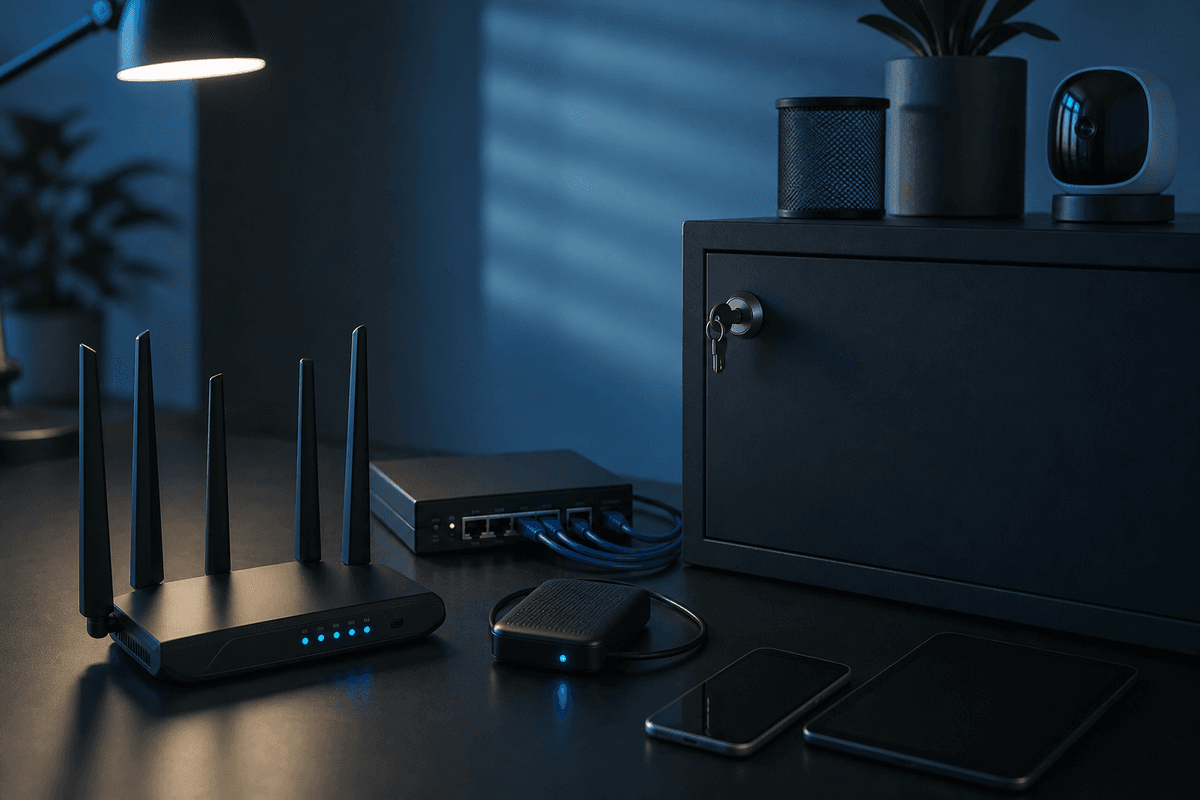
Your employees' home networks become extensions of your business network the moment they access company resources from home. Most home networks are minimally secured: ISP-provided routers often ship with documented factory-default admin credentials, receive firmware updates infrequently, and share bandwidth among work devices, personal devices, and IoT equipment.
You cannot manage home networks the way you manage office infrastructure, but you can set minimum requirements and provide employees step-by-step guidance. Practical minimums include: changing the router admin password from the factory default, enabling WPA3 encryption (or WPA2-AES at minimum), disabling WPS (Wi-Fi Protected Setup, which has well-documented vulnerabilities), and creating a separate guest network for IoT devices and personal use that is isolated from work devices.
Multi-Factor Authentication on Everything
Multi-factor authentication (MFA) is the single highest-impact security control available to remote workers. MFA requires a second verification factor beyond the password, typically an authenticator app code or hardware security key. Even if an attacker obtains an employee's password through phishing or a credential breach database, MFA prevents account access without the second factor.
Effective remote work security for small business requires MFA on every system that supports it:
- VPN access
- Email and Microsoft 365 or Google Workspace accounts
- Cloud storage platforms
- Financial and payment processing systems
- Administrative accounts for any business software
- The password manager vault itself
Use authenticator apps like Microsoft Authenticator, Google Authenticator, or Authy rather than SMS-based codes. SMS MFA is vulnerable to SIM-swapping attacks, where an attacker social engineers a phone carrier into porting the victim's number to attacker-controlled hardware. Hardware security keys like YubiKey provide the strongest protection for high-value accounts and are resistant to phishing attacks that steal authenticator codes in real time.
Pair MFA with a company-wide password manager. Options like 1Password Business, Bitwarden Teams, Keeper, or LastPass Business are compared in our password manager guide. Remote workers access dozens of systems from multiple locations, creating constant pressure to reuse passwords. A password manager eliminates that pressure while improving credential strength across every system.
2026 Compliance Note: MFA Is Now Mandatory in Many Frameworks
PCI DSS 4.0 (required as of March 2025) mandates MFA for all remote access into the cardholder data environment and for all admin access to the CDE. The FTC Safeguards Rule requires MFA for any system or application containing customer financial data. HIPAA Security Rule guidance from HHS increasingly treats MFA as a required implementation specification, not an addressable one. If your business handles payment cards, patient data, or customer financial records, MFA is not optional.
Incident Response and Compliance for Distributed Teams
Security incidents are inevitable. The question is whether your team is prepared to respond when one occurs, and for remote businesses, preparation means addressing scenarios that simply do not exist in office-based environments.
Building a Remote Incident Response Plan
Establish an out-of-band communication channel before you need one. If your email system is compromised, which is a realistic outcome in Business Email Compromise attacks, how do you alert your team? A pre-established Signal group, a secondary messaging platform, or a phone tree serves this function. Document it before an incident forces improvisation.
Document procedures for remotely isolating compromised devices. MDM tools can disable network access on managed endpoints. Changing VPN credentials and account passwords cuts off an active attacker's session while you investigate. Train employees not to power off or factory-reset a device they believe is compromised. The device state at the time of compromise contains forensic evidence your security team needs. For tax practices and financial services firms, our incident response planning guide covers procedures specific to regulated data environments. General guidance on what steps to take after a confirmed breach is covered in our post-breach response guide.
Compliance Requirements That Follow Remote Workers
HIPAA cybersecurity requirements apply to every device accessing Protected Health Information (PHI), regardless of location. Healthcare providers and business associates cannot treat remote work as outside their compliance scope. HIPAA Security Rule §164.312(a)(1) requires access controls on all systems containing PHI, including home computers and personal devices. Our HIPAA cybersecurity requirements guide covers the specific technical safeguards that apply to remote access scenarios. Dental practices have additional considerations covered in our HIPAA guide for dental offices.
PCI DSS 4.0 for businesses processing payment cards requires MFA for all remote access into the cardholder data environment and strong cryptography for all transmissions of cardholder data across public networks. Small businesses accepting credit cards must document how their remote work controls satisfy these requirements.
The FTC Safeguards Rule for financial institutions and tax practices requires documented risk assessment, access controls, encryption, and monitoring, all covering remote work environments. Tax preparers must document how their remote work controls satisfy Safeguards Rule requirements. For tax-specific compliance, see our guides on the FTC Safeguards Rule for tax preparers and IRS cybersecurity requirements.
Employee Training, Security Policy, and Ongoing Monitoring
Technology controls have a hard limit. An employee who clicks a phishing link bypasses every perimeter control you have deployed. Security awareness training closes the gap between your technical defenses and the decisions your employees make every day.
Training Content Specific to Remote Work
Generic security awareness training frequently misses the threats remote workers actually encounter. Effective training for distributed teams addresses phishing campaigns that impersonate IT support requesting VPN credentials, SMS phishing (smishing) and voice phishing (vishing) that target employees' personal phones, and physical security in public spaces: screen privacy filters, locking devices when stepping away, and avoiding sensitive discussions in earshot of others.
Train employees on data handling procedures specific to remote work: what data can be accessed remotely, where it can be stored, how it must be transmitted, and what to do with printed documents containing sensitive information. Make incident reporting frictionless and state clearly that reporting a potential incident, even a false alarm, is always the correct action. Employees who fear being blamed for clicking a link will delay reporting, turning a contained incident into a full breach.
Phishing simulations are the most effective training tool available. Running regular simulated phishing campaigns that reflect current attack techniques, including credential harvesting pages mimicking your VPN login, produces measurable improvements in click rates within 90 days.
Written Remote Work Security Policy
Implementing remote work security for small business requires documented policies that every employee reads and acknowledges before working remotely. Verbal policies are not consistently enforced and do not satisfy compliance documentation requirements. The policy should define:
- Approved devices and minimum security standards for BYOD enrollment
- Required software including EDR clients and VPN
- Approved cloud services and specifically prohibited shadow IT applications
- Data handling and transmission requirements by data classification
- Incident reporting procedures and contact information
- Consequences for policy violations
Ongoing Monitoring and Access Reviews
Collect and analyze logs from your VPN, EDR, email security system, and cloud applications. For small businesses without dedicated security analysts, cloud-based Security Information and Event Management (SIEM) tools like Microsoft Sentinel aggregate these logs and surface anomalies automatically: access from unexpected geographic locations, repeated failed authentication attempts, unusually large file downloads, and connections during off-hours.
Review user access permissions quarterly. Remove access no longer needed based on role changes, departures, or completed projects. Follow the principle of least privilege, grant only the minimum access each role requires to perform its function. For businesses handling sensitive data, our guide on zero trust security principles explains how continuous access verification reduces the blast radius of any compromised account.
Asset visibility is foundational to monitoring. You cannot monitor what you do not know exists. Our asset management guide covers how to build and maintain an accurate inventory of every device accessing your business systems, which is the prerequisite for effective remote work monitoring.
Remote work security is not a project you complete. It is an ongoing operational practice that requires regular reassessment as your team, your technology stack, and the threat environment all continue to change. The businesses that build security as a core operational competency, rather than an afterthought, are the ones that avoid the breaches that close small businesses permanently.
What This Means for Your Business
Remote work security for small business comes down to five pillars: encrypted remote access (VPN with MFA), endpoint protection (EDR on every device), advanced email filtering, documented policies your team has acknowledged, and quarterly access reviews. None of these require an enterprise budget. All of them are significantly cheaper than recovering from a breach.
Get a Free Remote Work Security Assessment
Our cybersecurity experts will evaluate your remote work setup and provide a customized security roadmap, including which controls to prioritize for your team size and compliance requirements.
Frequently Asked Questions
Phishing is the leading threat. Attackers send emails or text messages impersonating IT support, executives, or vendors to steal credentials or trigger fraudulent wire transfers. Because remote workers cannot verify requests in person, they are significantly more susceptible. Advanced email filtering, mandatory verbal verification for sensitive requests, and regular phishing simulation training are the primary defenses.
Yes, for several reasons. Cloud applications are accessed over whatever network the employee is on, which may be a compromised public Wi-Fi network. A VPN encrypts that connection and prevents traffic interception. A business VPN also provides centralized logging of access patterns, which you need for compliance documentation under HIPAA, PCI DSS, and the FTC Safeguards Rule. Finally, VPN authentication with MFA adds an access control layer that cloud application logins alone do not provide.
Consumer antivirus is insufficient for business environments. It detects known malware by signature but misses behavioral threats, living-off-the-land attacks, and fileless malware. Endpoint Detection and Response (EDR) software monitors device behavior continuously and can detect novel threats that have no known signature. Business EDR solutions also provide centralized management dashboards, which means you can see the security posture of every remote device from a single console rather than relying on employees to maintain their own protection.
Mobile Device Management (MDM) software is the primary enforcement mechanism for BYOD. MDM allows you to require device encryption, enforce screen lock policies, install required security software, and remotely wipe business data if a device is lost or stolen. Employees often have concerns about MDM on personal devices, address this by scoping the MDM profile to business applications only and documenting exactly what the MDM can and cannot access. Many businesses create a separate corporate profile on personal devices, which contains only business data and applications under management, with personal data remaining outside MDM scope.
Compliance requirements follow the data, not the location. HIPAA Security Rule §164.312 applies to any device accessing PHI, including home computers. PCI DSS 4.0 requires MFA and encryption for all remote access to the cardholder data environment. The FTC Safeguards Rule requires documented access controls, encryption, and monitoring covering all systems with customer financial data, regardless of where employees access them. IRS Publication 4557 and the WISP requirement apply to tax preparers handling any client tax information remotely.
Quarterly access reviews are the standard recommendation for most compliance frameworks, including NIST SP 800-53 and SOC 2 Trust Service Criteria. In practice, you should also trigger an access review whenever an employee changes roles or departs. Off-boarding is the most common source of lingering access that attackers exploit: former employees whose credentials were never deactivated remain active entry points. Automate deprovisioning as much as possible so that HR-initiated terminations automatically trigger account deactivation in your identity management system.
Act immediately: use your MDM platform to remotely lock and wipe the device, revoke the device's VPN certificate, change the employee's account passwords and invalidate active sessions, and review recent access logs for that device to determine what data may have been accessed or transmitted. Do not wait to see if the device turns up. If the device contained or had access to regulated data (PHI, cardholder data, customer financial records), consult your incident response plan for notification requirements. Report the loss to local law enforcement and document the response for compliance purposes.
SMS MFA is significantly better than no MFA, but it carries known vulnerabilities. SIM-swapping attacks allow an attacker to social engineer a phone carrier into porting a victim's number to attacker hardware, intercepting all SMS codes. Real-time phishing kits can also relay SMS codes before they expire. For business accounts, authenticator apps (Microsoft Authenticator, Google Authenticator, Authy) provide better security than SMS, and hardware security keys (YubiKey) provide the strongest protection. If SMS is the only MFA option a system offers, use it while advocating for the vendor to add TOTP or hardware key support.
Zero trust is a security model built on the principle that no device or user should be automatically trusted, even on an internal network. Instead of a perimeter that separates inside from outside, zero trust continuously verifies identity and device health before granting access to each resource. For small businesses, the practical zero trust controls are: MFA on everything, least-privilege access, device health checks before VPN access, and continuous session monitoring. You do not need a dedicated zero trust platform to apply these principles. Many businesses implement zero trust incrementally using tools they already own.
See whether the service fits
Know what is protected, who responds, and what work stays with your team
Start with the outcome and scope. A good fit is clear about who it is for, what is covered, how implementation works, and what happens when the service detects a problem.
People also look for
Keep exploring Phishing & email security
Recognize manipulation, protect email accounts, and give people a clear way to report suspicious messages.
- Common question: what is phishingUnderstand how phishing worksLearn the common phishing types, why they work, and what attackers want.
- Common question: how to spot phishing emailsLearn the warning signs in an emailCheck sender details, urgency, links, attachments, and requests before taking action.
- Common question: email security best practicesUse the email security guideCombine account protection, filtering, safer habits, and reporting procedures.
- Common question: social engineering examplesRecognize social engineering tacticsSee how pretexting, impersonation, urgency, and authority are used to manipulate people.
- Common question: security awareness trainingBuild practical security awarenessHelp employees recognize threats and respond without creating a blame culture.