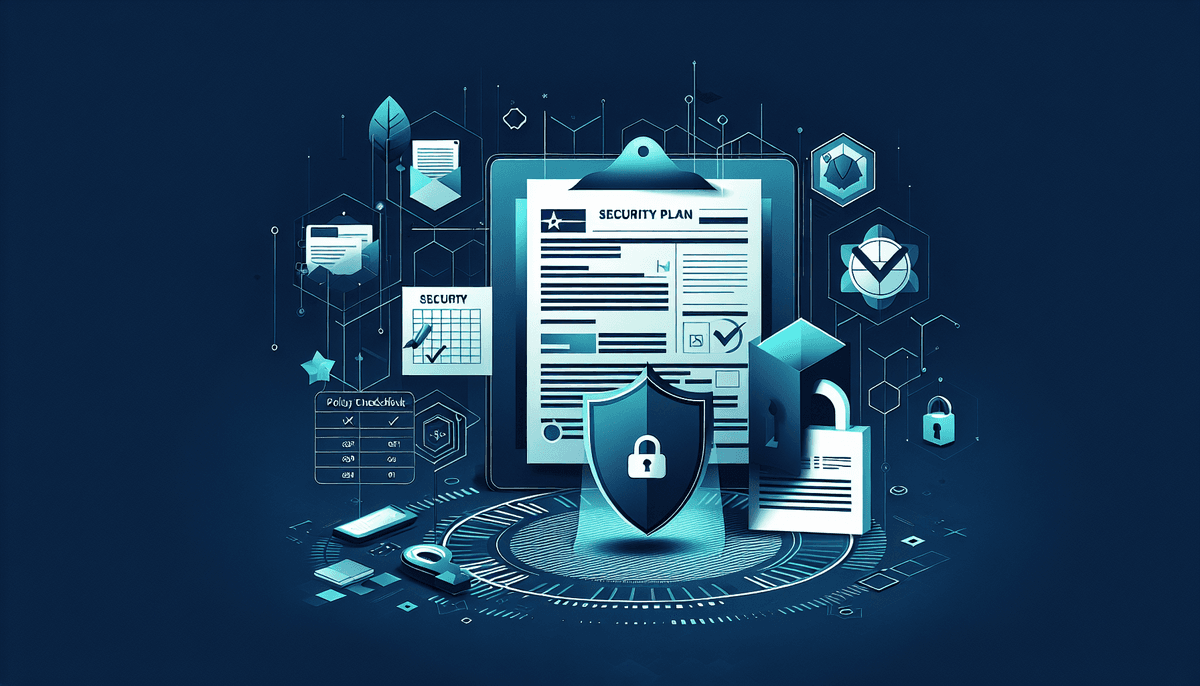
A written information security plan (WISP) is a documented cybersecurity program that tax preparers must maintain under the Gramm-Leach-Bliley Act (GLBA), the federal law that treats tax preparation businesses as financial institutions for data security purposes. The FTC Safeguards Rule turns that classification into a specific obligation: any preparer who files 11 or more federal tax returns in a year must keep a written information security plan describing the administrative, technical, and physical safeguards used to protect client data.
Every tax preparer, CPA firm, and accounting practice handling taxpayer data counts as a financial institution under this rule, regardless of size. That covers solo preparers working from a home office as well as multi-partner firms. The IRS makes the same point directly in Publication 4557, Safeguarding Taxpayer Data, which tells preparers a written security plan is not optional.
Quick Answer
A written information security plan (WISP) is a document required under the FTC Safeguards Rule and IRS Publication 4557 that spells out the administrative, technical, and physical safeguards a tax practice uses to protect client data. Any preparer filing 11 or more returns a year needs one, regardless of firm size. The IRS offers free starting templates through Publications 5708 and 5709, but they have to be customized to match your actual systems, staff, and vendors. Firms that skip this step risk FTC penalties, IRS scrutiny, and coverage gaps if a breach happens.
Key Takeaway
Any preparer filing 11 or more returns a year needs a WISP, no matter how small the firm. The FTC Safeguards Rule (16 CFR Part 314) requires specific technical controls, including MFA, encryption, and a written incident response plan. IRS Publications 5708 and 5709 provide free starting templates, but they still need customization to your actual systems and vendors. Violations can carry FTC penalties of up to roughly $46,517 per day, and the average data breach now costs $4.88 million according to IBM's 2025 report. Review and update your WISP at least once a year or whenever your systems, staff, or vendors change.
WISP Compliance by the Numbers
The WISP requirement comes from two federal frameworks that overlap but are not identical, and tax preparers need to satisfy both. The FTC Safeguards Rule (16 CFR Part 314) implements the Gramm-Leach-Bliley Act's data security requirements for financial institutions, a category that includes tax preparers. The version of the rule that took effect June 9, 2023 added specific technical requirements, including multi-factor authentication on any system that accesses customer information, encryption for data at rest and in transit using standards such as AES-256 and TLS 1.2 or higher, and a written incident response plan with FTC notification within 30 days when an incident affects 500 or more people.
Firms holding records on 5,000 or more consumers must also run annual penetration testing and vulnerability assessments twice a year, or adopt continuous monitoring instead. See Bellator's FTC Safeguards Rule checklist for tax preparers for the full technical walkthrough.
The IRS lays out its own expectations in Publication 4557, Safeguarding Taxpayer Data, which states plainly that tax professionals must create a written security plan. Two companion documents make the process easier: Publication 5708, a sample WISP built for tax practices, and Publication 5709, a worksheet based guide for building a plan from scratch. The FTC rule sets the legal floor, and the IRS publications tell you how to document that you are meeting it; satisfying one does not automatically satisfy the other.
2026 Filing Season Reminder
IRS Publication 4557 directs every tax professional to maintain a written security plan. Ahead of the 2026 filing season, confirm your WISP is current, matches your actual systems, and can be produced if a preparer review or PTIN renewal asks for it. Check the current PTIN renewal instructions directly, since certification requirements can change year to year.
WISP Core Policies Checklist
- Acceptable use policy covering firm technology, internet access, and personal devices
- Access control policy applying least privilege, role based permissions
- Password and authentication policy, including MFA requirements
- Data classification policy that sets handling rules by sensitivity level
- Encryption policy specifying how client tax data is protected
- Remote work policy covering VPN use and other controls for distributed staff
- Vendor management policy with security provisions for third parties
- Data retention policy (IRS guidance points to a 7 year retention period for tax records)
According to Verizon's 2025 Data Breach Investigations Report, a human element was involved in 68% of confirmed breaches. A WISP without a training program only exists on paper. At minimum, cover phishing recognition and reporting, proper handling of sensitive taxpayer data, password hygiene, and who staff should contact if something looks wrong.
Run training at onboarding and at least once a year after that, and keep records of who attended. That documentation, not the policy alone, is what an examiner or insurer will ask to see.
How to Build a WISP: 7 Steps
Conduct a risk assessment
Inventory every system that stores or touches taxpayer data and identify internal and external threats to that data.
Designate a security coordinator
Assign one person, even in a solo practice this can be the owner, to run the security program and keep it current.
Document current controls
Catalog the administrative, technical, and physical safeguards you already have in place.
Identify gaps and remediate
Compare what you have against FTC and IRS requirements and fix what's missing.
Write the policies
Put every policy, procedure, and training requirement into the formal WISP document.
Train staff and test the plan
Run security awareness training and walk through incident response with a tabletop exercise.
Review and update annually
Revisit the WISP at least once a year, and any time staff, systems, or vendors change.
Technical safeguards are the technology controls protecting your electronic systems from unauthorized access. Physical safeguards keep unauthorized people away from the equipment and paper files that hold the same data. The FTC Safeguards Rule requires encryption of customer information and multi-factor authentication on systems that touch it.
If you're evaluating endpoint protection or setting up MFA, Bellator's guides to endpoint detection and response for small business and two factor authentication cover what to look for.
Essential Technical and Physical Safeguards
- Endpoint detection and response (EDR) with behavioral analysis, not just signature based antivirus
- Firewall configured to deny unnecessary connections by default, with intrusion prevention
- Full disk encryption on workstations and AES-256 or equivalent for databases
- TLS 1.2 or higher for data in transit, plus encrypted email for sensitive documents
- Backup encryption with keys stored separately from the backups themselves
- Unique accounts for every user, MFA on all tax systems, and immediate access revocation when someone leaves
- Facility access controls, visitor management, and cross cut shredding for paper disposal
No set of controls stops every incident, which is why your WISP needs a documented response plan covering preparation, detection and analysis, containment, eradication, recovery, and a post incident review. See Bellator's incident response plan guide for a step by step breakdown of the first 24 hours after discovering an incident.
Breach Notification Timelines
- IRS: contact your local Stakeholder Liaison within about 24 hours of discovering a breach
- FTC: notify within 30 days if the incident affects 500 or more individuals
- State: most states require notification within 30 to 60 days, and requirements vary by state law
- Affected individuals: notify according to your state's breach notification law
- Law enforcement: report to the FBI's Internet Crime Complaint Center (IC3) and local authorities
Advantages of an IRS Template
- Free and IRS sanctioned, so you're starting from an accepted framework
- Publications 5708 and 5709 include worksheets that walk through the process step by step
- A reasonable fit for solo preparers with simple, well understood systems
Considerations
- A generic template doesn't document your actual systems, vendors, or staff until you customize it
- No one updates it for you as regulations or your technology change
- It documents requirements but doesn't implement them; MFA, encryption, and monitoring still have to be set up separately
- Larger practices with more systems and staff usually need more customization than the worksheets provide
Want a WISP built around your actual firm?
Bellator's custom WISP documents your real systems, staff, and vendors instead of leaving you to adapt a generic worksheet. It starts at $749 for firms with up to 5 users, with larger practices quoted separately, and most firms save an estimated 20 to 40 billable hours compared to building one from scratch.
Every tax professional needs a WISP, but how much time and detail that takes scales with the complexity of your practice.
Solo practitioners and small firms (1 to 5 employees) can implement WISP requirements proportionally. The owner typically serves as the security coordinator, and cloud based tax software with built in encryption and MFA can cover several technical requirements at once.
Mid-size and larger firms (6 or more employees) face the full scope of the Safeguards Rule: a designated qualified individual with documented expertise, annual penetration testing and biannual vulnerability assessments once you cross the 5,000 consumer record threshold, a formal incident response plan with assigned team roles, and a vendor risk management program. See Bellator's guide to the FTC's qualified individual requirement for more on that role.
Book a Free Tax Cybersecurity Assessment
Get an evaluation of your current security posture against FTC Safeguards Rule and IRS WISP requirements, with concrete next steps for your practice.
Frequently Asked Questions
A WISP is a document required under the Gramm-Leach-Bliley Act and the FTC Safeguards Rule for tax professionals handling taxpayer data. It spells out the administrative, technical, and physical safeguards a firm uses to protect personally identifiable information from unauthorized access, disclosure, or loss.
Any tax preparer, accounting firm, or financial service provider handling taxpayer data is treated as a financial institution under federal law and must maintain a WISP. This applies to solo practitioners, CPA firms, and multi-office practices once they file 11 or more returns a year, regardless of firm size.
The FTC can pursue civil penalties for Safeguards Rule violations, currently up to roughly $46,517 per violation per day and adjusted annually for inflation. The IRS can also take action against a preparer's PTIN or e-file privileges for security failures, and unaddressed gaps can complicate standing with a professional liability insurer. IBM's 2025 Cost of a Data Breach Report put the average breach cost at $4.88 million.
Review and update your WISP at least once a year, and any time you have a significant change to systems, staff, or vendors. The FTC Safeguards Rule also expects annual risk assessments and ongoing monitoring of how well the security program is actually working.
Yes. The IRS provides free templates through Publications 5708 and 5709, and they are a legitimate starting point. A generic, unmodified template that doesn't reflect your actual systems and procedures won't hold up to scrutiny, though, so firms that would rather not build and maintain it themselves can use a paid service that documents their specific practice instead.
Follow the notification timeline in your WISP: contact the IRS Stakeholder Liaison within roughly 24 hours, notify the FTC within 30 days if 500 or more individuals are affected, comply with your state's breach notification law (typically 30 to 60 days), and notify affected taxpayers as required.
From requirement to defensible practice
Turn IRS and FTC expectations into a WISP your office can follow
A useful compliance path makes the obligation clear, identifies the evidence to retain, and connects written policy to the safeguards used every day.
People also look for
Keep exploring Tax security & WISP
Understand what tax professionals need to document, protect, and prepare before an IRS or FTC review.
- Common question: free WISP templateStart with a written information security planUse a practical WISP framework built around the safeguards tax practices need.
- Common question: IRS Publication 4557 requirementsRead the Publication 4557 guideSee how the IRS expects tax professionals to safeguard taxpayer data.
- Common question: IRS WISP requirementsReview the WISP requirementsWork through the required sections and the evidence your practice should retain.
- Common question: FTC Safeguards Rule checklistUse the FTC Safeguards checklistTranslate the rule into a clear list of security and documentation tasks.
- Common question: tax practice incident response planPrepare a tax-office incident planKnow who to contact, what to preserve, and how to respond to a client-data incident.